Microsoft Office Home and Business 2019 License Download
$149.99
<p data-start="0" data-end="55"><strong data-start="0" data-end="55">Office 2019 Home and Business: </strong></p>
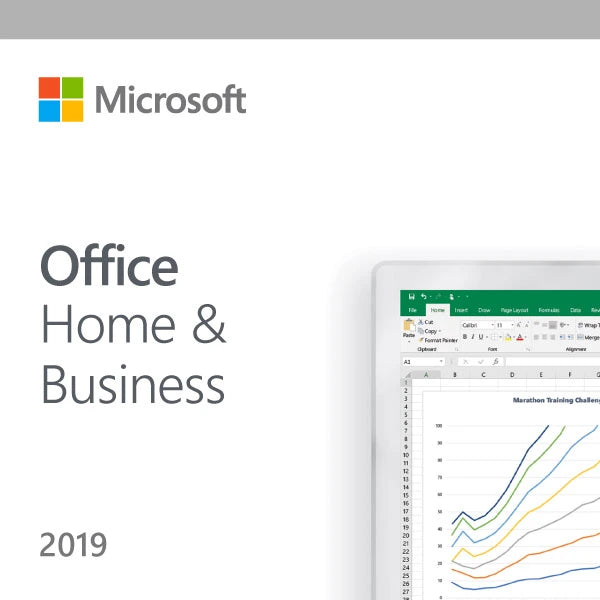
<p data-start="57" data-end="412">Microsoft Office 2019 Home and Business is a one-time purchase productivity suite designed for small business owners, professionals, and home users who prefer a classic, non-subscription version of Office. This edition includes essential tools such as <strong data-start="309" data-end="349">Word, Excel, PowerPoint, and Outlook</strong> — all optimized for performance, reliability, and offline use.</p>
<p data-start="414" data-end="721">Unlike Microsoft 365, Office 2019 Home and Business does not require a monthly or annual subscription. It is a <strong data-start="525" data-end="546">perpetual license</strong>, meaning users pay once and can use the software indefinitely on a single PC or Mac. This makes it an ideal solution for users who want long-term access without ongoing fees.</p>
<p data-start="723" data-end="777">Key features of Office 2019 Home and Business include:</p>
<ul data-start="778" data-end="1158">
<li data-start="778" data-end="851">
<p data-start="780" data-end="851"><strong data-start="780" data-end="803">Microsoft Word 2019</strong> for professional document creation and editing.</p>
</li>
<li data-start="852" data-end="937">
<p data-start="854" data-end="937"><strong data-start="854" data-end="878">Microsoft Excel 2019</strong> for advanced spreadsheet management, formulas, and charts.</p>
</li>
<li data-start="938" data-end="1047">
<p data-start="940" data-end="1047"><strong data-start="940" data-end="969">Microsoft PowerPoint 2019</strong> for creating impactful presentations with new visual effects and transitions.</p>
</li>
<li data-start="1048" data-end="1158">
<p data-start="1050" data-end="1158"><strong data-start="1050" data-end="1076">Microsoft Outlook 2019</strong> for efficient email communication, calendar management, and contact organization.</p>
</li>
</ul>
<p data-start="1160" data-end="1390">Office 2019 also includes updated security features, improved inking functionality for pen users, and enhanced accessibility options. It is fully compatible with Windows 10, Windows 11, and the three most recent versions of macOS.</p>
<p data-start="1392" data-end="1650">This edition is ideal for small business owners who require robust productivity software without the complexity of cloud-based tools or constant updates. Since it runs locally, it also appeals to users in secure environments where internet access is limited.</p>
<p data-start="1652" data-end="2057" data-is-last-node="" data-is-only-node="">In summary, <strong data-start="1664" data-end="1707">Microsoft Office 2019 Home and Business</strong> is a reliable, offline-capable Office suite that offers essential apps with a one-time purchase. It’s perfect for anyone seeking a cost-effective, stable alternative to cloud-based subscriptions. For users searching for “Office 2019 one-time purchase,” “Office without subscription,” or “Outlook included Office version,” this is the go-to solution.</p>
<p data-start="57" data-end="412">Microsoft Office 2019 Home and Business is a one-time purchase productivity suite designed for small business owners, professionals, and home users who prefer a classic, non-subscription version of Office. This edition includes essential tools such as <strong data-start="309" data-end="349">Word, Excel, PowerPoint, and Outlook</strong> — all optimized for performance, reliability, and offline use.</p>
<p data-start="414" data-end="721">Unlike Microsoft 365, Office 2019 Home and Business does not require a monthly or annual subscription. It is a <strong data-start="525" data-end="546">perpetual license</strong>, meaning users pay once and can use the software indefinitely on a single PC or Mac. This makes it an ideal solution for users who want long-term access without ongoing fees.</p>
<p data-start="723" data-end="777">Key features of Office 2019 Home and Business include:</p>
<ul data-start="778" data-end="1158">
<li data-start="778" data-end="851">
<p data-start="780" data-end="851"><strong data-start="780" data-end="803">Microsoft Word 2019</strong> for professional document creation and editing.</p>
</li>
<li data-start="852" data-end="937">
<p data-start="854" data-end="937"><strong data-start="854" data-end="878">Microsoft Excel 2019</strong> for advanced spreadsheet management, formulas, and charts.</p>
</li>
<li data-start="938" data-end="1047">
<p data-start="940" data-end="1047"><strong data-start="940" data-end="969">Microsoft PowerPoint 2019</strong> for creating impactful presentations with new visual effects and transitions.</p>
</li>
<li data-start="1048" data-end="1158">
<p data-start="1050" data-end="1158"><strong data-start="1050" data-end="1076">Microsoft Outlook 2019</strong> for efficient email communication, calendar management, and contact organization.</p>
</li>
</ul>
<p data-start="1160" data-end="1390">Office 2019 also includes updated security features, improved inking functionality for pen users, and enhanced accessibility options. It is fully compatible with Windows 10, Windows 11, and the three most recent versions of macOS.</p>
<p data-start="1392" data-end="1650">This edition is ideal for small business owners who require robust productivity software without the complexity of cloud-based tools or constant updates. Since it runs locally, it also appeals to users in secure environments where internet access is limited.</p>
<p data-start="1652" data-end="2057" data-is-last-node="" data-is-only-node="">In summary, <strong data-start="1664" data-end="1707">Microsoft Office 2019 Home and Business</strong> is a reliable, offline-capable Office suite that offers essential apps with a one-time purchase. It’s perfect for anyone seeking a cost-effective, stable alternative to cloud-based subscriptions. For users searching for “Office 2019 one-time purchase,” “Office without subscription,” or “Outlook included Office version,” this is the go-to solution.</p>
No features listed.