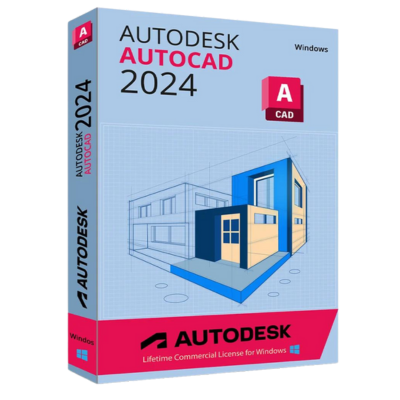
<h1><span style="color: #000000;">Autodesk AutoCAD 2024</span></h1>
\n<h2 id="h-autodesk-autocad-2022-overview"><span style="color: #000000;">Autodesk AutoCAD Overview</span></h2>
\n<span style="color: #000000;">AutoCAD is computer-aided design (CAD) software that architects, engineers, and construction professionals rely on to create precise 2D and 3D drawings.</span>
\n
\n<span style="color: #000000;">Import various other formats, including SolidWorks, Pro/ENGINEER, CATIA, and Rhino, and when an engineering change is made, drawing views, edge display, and location are instantly updated.</span>
\n
\n<span style="color: #000000;">The drafting, detailing, and conceptual design leader is again showing the way. AutoCAD 2024 propels day-to-day drafting forward with features that increase speed and accuracy while saving time. Annotation scaling and layer properties per viewport minimize workarounds, while text and table enhancements and multiple leaders help deliver an unmatched level of aesthetic precision and professionalism.</span>
\n<h3 id="h-features-of-autodesk-autocad-2022"><span style="color: #000000;">Features of Autodesk AutoCAD</span></h3>
\n<ul>
\n <li><span style="color: #000000;">Draft and edit 2D geometry and 3D models with solids, surfaces, and mesh objects</span></li>
\n <li><span style="color: #000000;">Annotate drawings with text, dimensions, leaders, and tables</span></li>
\n <li><span style="color: #000000;">Customize with add-on apps and APIs</span></li>
\n <li><span style="color: #000000;">Automate floor plans, sections, and elevations</span></li>
\n <li><span style="color: #000000;">Draw piping, ducting, and circuiting quickly with parts libraries</span></li>
\n <li><span style="color: #000000;">Auto-generate annotations, layers, schedules, lists, and tables</span></li>
\n <li><span style="color: #000000;">Use a rules-driven workflow to enforce industry standards accurately</span></li>
\n <li><span style="color: #000000;">View, edit, annotate, and create drawings on the go and in the field from a mobile device.</span></li>
\n <li><span style="color: #000000;">With no installation required, log in to view, edit, annotate, and create drawings quickly in your local web browser.</span></li>
\n</ul>
\n<h3 id="h-system-requirements-and-technical-details"><span style="color: #000000;">System Requirements And Technical Details</span></h3>
\n<ul>
\n <li><span style="color: #000000;">Supported OS: 2.5–2.9 GHz processor Recommended: 3+ GHz processor</span></li>
\n <li><span style="color: #000000;">Memory (RAM): 8 GB Recommended: 16 GB</span></li>
\n <li><span style="color: #000000;">Hard Disk Space: 6.0 GB of free disk space for install</span></li>
\n <li><span style="color: #000000;">CPU: 64-bit Intel or AMD multi-core processor</span></li>
\n <li><span style="color: #000000;">.NET Framework: .NET Framework Version 4.7</span></li>
\n</ul>
\n<h2 id="h-autodesk-autocad-2022-overview"><span style="color: #000000;">Autodesk AutoCAD Overview</span></h2>
\n<span style="color: #000000;">AutoCAD is computer-aided design (CAD) software that architects, engineers, and construction professionals rely on to create precise 2D and 3D drawings.</span>
\n
\n<span style="color: #000000;">Import various other formats, including SolidWorks, Pro/ENGINEER, CATIA, and Rhino, and when an engineering change is made, drawing views, edge display, and location are instantly updated.</span>
\n
\n<span style="color: #000000;">The drafting, detailing, and conceptual design leader is again showing the way. AutoCAD 2024 propels day-to-day drafting forward with features that increase speed and accuracy while saving time. Annotation scaling and layer properties per viewport minimize workarounds, while text and table enhancements and multiple leaders help deliver an unmatched level of aesthetic precision and professionalism.</span>
\n<h3 id="h-features-of-autodesk-autocad-2022"><span style="color: #000000;">Features of Autodesk AutoCAD</span></h3>
\n<ul>
\n <li><span style="color: #000000;">Draft and edit 2D geometry and 3D models with solids, surfaces, and mesh objects</span></li>
\n <li><span style="color: #000000;">Annotate drawings with text, dimensions, leaders, and tables</span></li>
\n <li><span style="color: #000000;">Customize with add-on apps and APIs</span></li>
\n <li><span style="color: #000000;">Automate floor plans, sections, and elevations</span></li>
\n <li><span style="color: #000000;">Draw piping, ducting, and circuiting quickly with parts libraries</span></li>
\n <li><span style="color: #000000;">Auto-generate annotations, layers, schedules, lists, and tables</span></li>
\n <li><span style="color: #000000;">Use a rules-driven workflow to enforce industry standards accurately</span></li>
\n <li><span style="color: #000000;">View, edit, annotate, and create drawings on the go and in the field from a mobile device.</span></li>
\n <li><span style="color: #000000;">With no installation required, log in to view, edit, annotate, and create drawings quickly in your local web browser.</span></li>
\n</ul>
\n<h3 id="h-system-requirements-and-technical-details"><span style="color: #000000;">System Requirements And Technical Details</span></h3>
\n<ul>
\n <li><span style="color: #000000;">Supported OS: 2.5–2.9 GHz processor Recommended: 3+ GHz processor</span></li>
\n <li><span style="color: #000000;">Memory (RAM): 8 GB Recommended: 16 GB</span></li>
\n <li><span style="color: #000000;">Hard Disk Space: 6.0 GB of free disk space for install</span></li>
\n <li><span style="color: #000000;">CPU: 64-bit Intel or AMD multi-core processor</span></li>
\n <li><span style="color: #000000;">.NET Framework: .NET Framework Version 4.7</span></li>
\n</ul>
No features listed.